


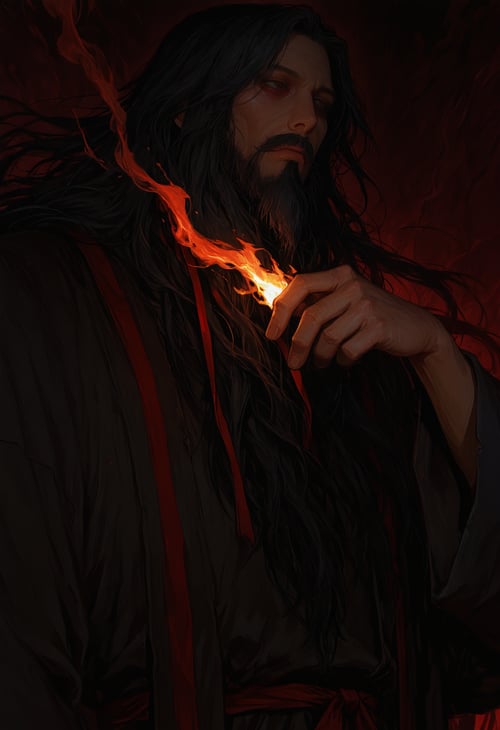


This one’s built around Illustrious SDXL and tuned with a few hand-picked LoRAs for lighting and anatomy. It’s less stylized than my other Rusty Iron Peper merge. So don’t expect the huge hips, razor-sharp faces, or that heavy comic-book grit. This version leans cleaner and more natural: smoother lines, softer expressions, and better material lighting overall.
It hits that middle ground between realistic and illustrated — still has character, but it won’t over-bake the details. Think polished concept-art energy instead of over-rendered pin-ups. Skin looks warmer, metal and cloth actually have texture, and the overall tone fits fantasy, modern, or soft-erotic work really well.
If you liked the last one but wanted something easier to control for lighting, poses, and anatomy balance — this is that. Use detailers for the eyes and face if you’re going close-up, and try 1024+ for the best results.
🔧 Recommended Settings:
A well-rounded setup for general SDXL prompting.
Steps: 30
Sampler: euler_ancestral
Scheduler: karras
CFG (Guidance): 4
Some of the quality tags I use are:
🏷️ Recommended Quality Tags
anime_screencap, anime_coloring, (retro:0.45),
masterpiece, ultra-HD, cinematic lighting, depth of field, (blurred background), (dramatic lighting),masterpiece, best quality, very aesthetic,8k,masterpiece, best quality, masterpiece, best quality, 8k,
Image-to-Image Tips
For upscaling workflows, I've found that a denoise range of 0.4 to 0.5 works best. This preserves structure while still enhancing detail without overbaking the image.
📋 ADetailer Settings
Here are the current ADetailer/YOLO settings shown:
steps: 10
cfg: 5.0
sampler_name: dpmpp_2m
scheduler: karras
denoise: 0.45
feather: 10
noise_mask: enabled
force_inpaint: disabled
bbox_threshold: 0.65
bbox_dilation: 1
bbox_crop_factor: 1.5
sam_detection_hint: mask-area
sam_dilation: 4
sam_threshold: 0.93
sam_bbox_expansion: 0
sam_mask_hint_threshold: 0.70
sam_mask_hint_use_negative: False
drop_size: 5
Maybe I have my settings wrong and if you know a fix let me know. I only pretend to know what I'm doing.